> ## Documentation Index
> Fetch the complete documentation index at: https://langchain-5e9cc07a-preview-opensw-1787674483-6bd21af.mintlify.site/llms.txt
> Use this file to discover all available pages before exploring further.
# Google imagen integration
> Integrate with the Google imagen tool using LangChain Python.
> [Imagen on Vertex AI](https://cloud.google.com/vertex-ai/generative-ai/docs/image/overview) brings Google's state of the art image generative AI capabilities to application developers. With Imagen on Vertex AI, application developers can build next-generation AI products that transform their user's imagination into high quality visual assets using AI generation, in seconds.
With Imagen on LangChain , You can do the following tasks
* [VertexAIImageGeneratorChat](#image-generation) : Generate novel images using only a text prompt (text-to-image AI generation).
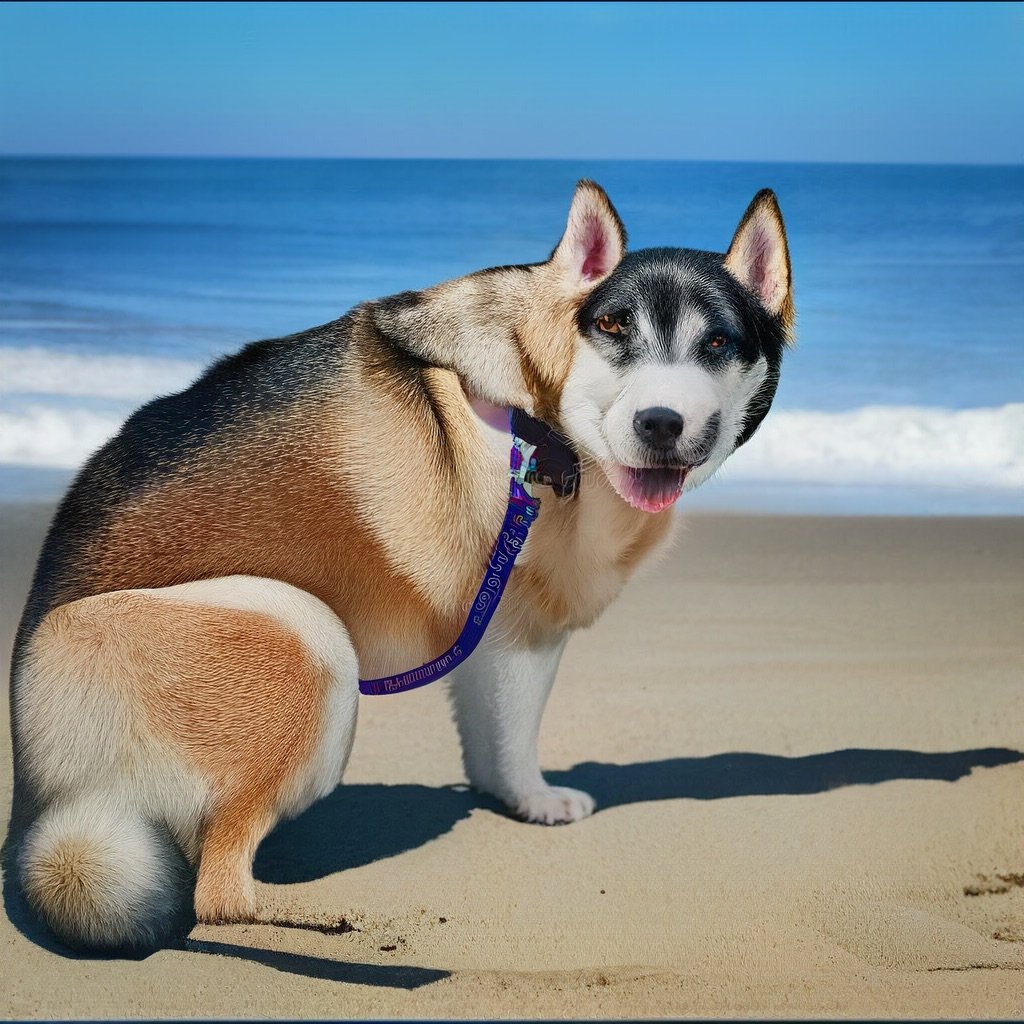
* [VertexAIImageEditorChat](#image-editing) : Edit an entire uploaded or generated image with a text prompt.
* [VertexAIImageCaptioning](#image-captioning) : Get text descriptions of images with visual captioning.
* [VertexAIVisualQnAChat](#visual-question-answering-vqa) : Get answers to a question about an image with Visual Question Answering (VQA).
* NOTE : Currently we support only single-turn chat for Visual QnA (VQA)
## Image generation
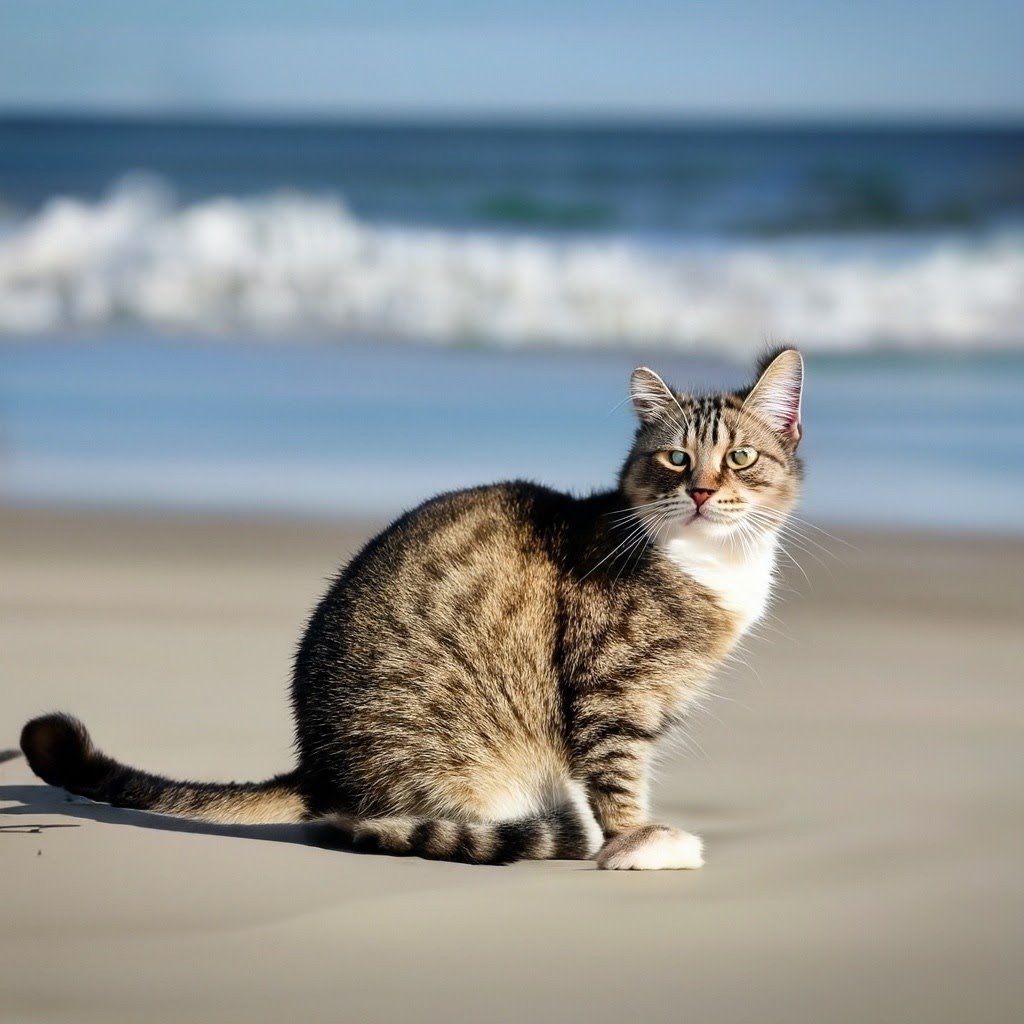
Generate novel images using only a text prompt (text-to-image AI generation)
```python theme={null}
from langchain.messages import AIMessage, HumanMessage
from langchain_google_vertexai.vision_models import VertexAIImageGeneratorChat
```
```python theme={null}
# Create Image Generation model Object
generator = VertexAIImageGeneratorChat()
```
```python theme={null}
messages = [HumanMessage(content=["a cat at the beach"])]
response = generator.invoke(messages)
```
```python theme={null}
# To view the generated Image
generated_image = response.content[0]
```
```python theme={null}
import base64
import io
from PIL import Image
# Parse response object to get base64 string for image
img_base64 = generated_image["image_url"]["url"].split(",")[-1]
# Convert base64 string to Image
img = Image.open(io.BytesIO(base64.decodebytes(bytes(img_base64, "utf-8"))))
# view Image
img
```
## Image editing
Edit an entire uploaded or generated image with a text prompt.
### Edit generated image
```python theme={null}
from langchain.messages import AIMessage, HumanMessage
from langchain_google_vertexai.vision_models import (
VertexAIImageEditorChat,
VertexAIImageGeneratorChat,
)
```
```python theme={null}
# Create Image Generation model Object
generator = VertexAIImageGeneratorChat()
# Provide a text input for image
messages = [HumanMessage(content=["a cat at the beach"])]
# call the model to generate an image
response = generator.invoke(messages)
# read the image object from the response
generated_image = response.content[0]
```
```python theme={null}
# Create Image Editor model Object
editor = VertexAIImageEditorChat()
```
```python theme={null}
# Write prompt for editing and pass the "generated_image"
messages = [HumanMessage(content=[generated_image, "a dog at the beach "])]
# Call the model for editing Image
editor_response = editor.invoke(messages)
```
```python theme={null}
import base64
import io
from PIL import Image
# Parse response object to get base64 string for image
edited_img_base64 = editor_response.content[0]["image_url"]["url"].split(",")[-1]
# Convert base64 string to Image
edited_img = Image.open(
io.BytesIO(base64.decodebytes(bytes(edited_img_base64, "utf-8")))
)
# view Image
edited_img
```
## Image captioning
```python theme={null}
from langchain_google_vertexai import VertexAIImageCaptioning
# Initialize the Image Captioning Object
model = VertexAIImageCaptioning()
```
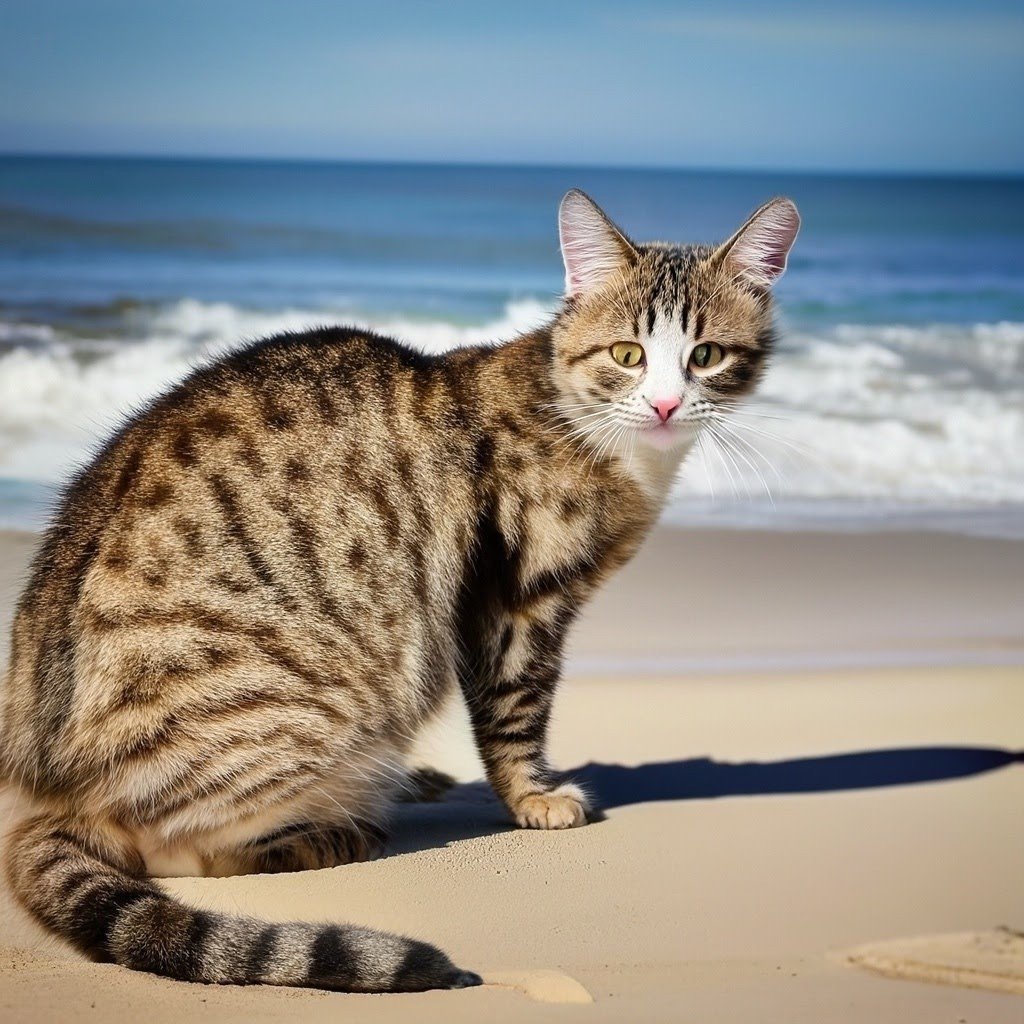
NOTE : we're using generated image in [Image Generation Section](#image-generation)
```python theme={null}
# use image generated in Image Generation Section
img_base64 = generated_image["image_url"]["url"]
response = model.invoke(img_base64)
print(f"Generated Caption : {response}")
# Convert base64 string to Image
img = Image.open(
io.BytesIO(base64.decodebytes(bytes(img_base64.split(",")[-1], "utf-8")))
)
# display Image
img
```
```text theme={null}
Generated Cpation : a cat sitting on the beach looking at the camera
```
## Visual question answering (VQA)
```python theme={null}
from langchain_google_vertexai import VertexAIVisualQnAChat
model = VertexAIVisualQnAChat()
```
NOTE : we're using generated image in [Image Generation Section](#image-generation)
```python theme={null}
question = "What animal is shown in the image?"
response = model.invoke(
input=[
HumanMessage(
content=[
{"type": "image_url", "image_url": {"url": img_base64}},
question,
]
)
]
)
print(f"question : {question}\nanswer : {response.content}")
# Convert base64 string to Image
img = Image.open(
io.BytesIO(base64.decodebytes(bytes(img_base64.split(",")[-1], "utf-8")))
)
# display Image
img
```
```text theme={null}
question : What animal is shown in the image?
answer : cat
```
***
[Connect these docs](/use-these-docs) to Claude, VSCode, and more via MCP for real-time answers.
[Edit this page on GitHub](https://github.com/langchain-ai/docs/edit/main/src/oss/python/integrations/tools/google_imagen.mdx) or [file an issue](https://github.com/langchain-ai/docs/issues/new/choose).